Why Local Compute
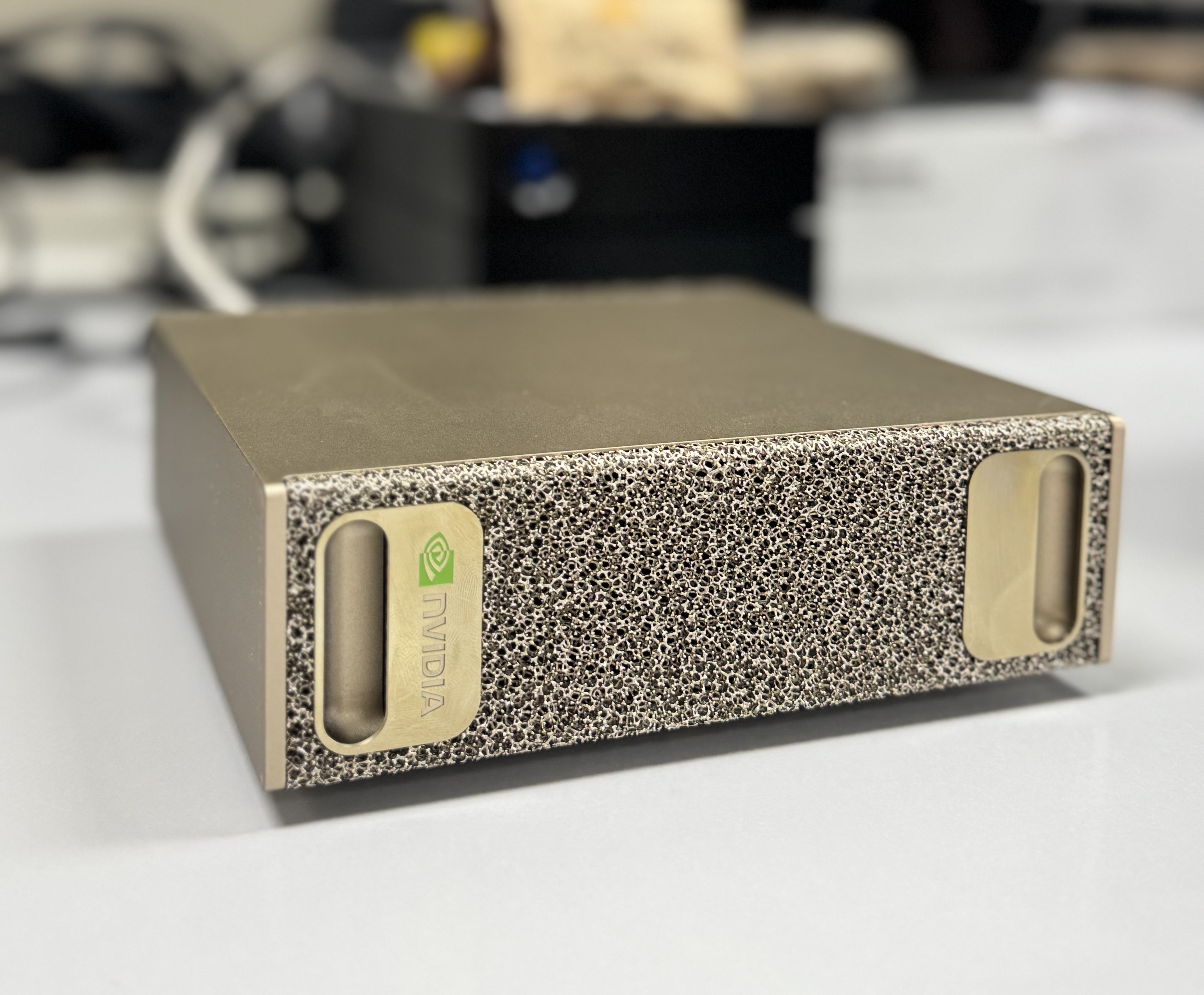
Cloud GPUs work for experimentation, but iterating on fine-tuning vision-language models for egocentric video — long sequences, large batch sizes, frequent checkpoint evaluation — demands low-latency access to memory and storage. The DGX Spark fits the gap: desktop footprint, datacenter-grade memory bandwidth, and full NVIDIA AI stack preinstalled.
Hardware Overview
| Component | Spec |
|---|---|
| Chip | NVIDIA GB10 Grace Blackwell Superchip |
| AI Compute | 1 PFLOP (FP4) |
| Memory | 128 GB DDR5x — coherent, unified (CPU + GPU share the same pool) |
| CPU | 20-core ARM (10× Cortex-X925 + 10× Cortex-A725) |
| Storage | 4 TB NVMe |
| Network | WiFi 7 + ConnectX-7 SmartNIC @ 200 GB/s |
| Interconnect | NVLink-C2C (Grace–Blackwell) |
| OS | DGX OS — Ubuntu 24.04 |
| Form factor | 150 × 150 × 50 mm, ~1.2 kg |
The key architectural detail: NVLink-C2C ties the Grace CPU and Blackwell GPU into a single coherent memory domain. There is no PCIe bus overhead, no explicit host↔device transfers — tensors live in one flat 128 GB address space accessible at full bandwidth from both compute units. For fine-tuning large vision encoders this matters: activations, gradients, and optimizer states can all coexist without spilling.
With a second DGX Spark connected via the QSFP optical port (ConnectX-7, 200 GB/s), both units form a single 256 GB unified memory node — enough to run 405B parameter models.
First Boot and Network Setup
The Quick Start Guide includes a sticker with three items: hotspot SSID, hotspot password, and a System Setup Page URL. The DGX broadcasts a closed WiFi hotspot on first boot — connect to it from a laptop, ignore the “no internet” warning, and navigate to the setup URL manually.
The wizard covers language, user account creation, and WiFi onboarding. Once the DGX joins the local network the hotspot disappears and the system pulls down the full software image. Do not power off during this phase — it reboots autonomously several times.
One hardware gotcha: the DGX only has USB-C ports. Standard USB-A peripherals (keyboard, mouse) require a hub adapter if you need a physical session for initial setup. HDMI is the reliable display output — USB-C/DisplayPort can fail to initialize on first boot.
Remote Access: SSH + Tailscale
Day-to-day access is headless over SSH. NVIDIA Sync (desktop app, build.nvidia.com/spark) handles initial key exchange and registers the device. After that, standard SSH config:
# ~/.ssh/config (on client machine)
Host dgx
    HostName 100.x.x.x    # Tailscale IP
    User enz
ssh dgxNVIDIA Sync installs Tailscale on the DGX automatically — verify it:
tailscale status
tailscale ip        # returns 100.x.x.x stable address
Critical: disable key expiry at login.tailscale.com/admin/machines or Tailscale will lock you out after 90 days with no local access fallback.
One mDNS note: spark-xxxx.local resolves fine from macOS/Windows but not from WSL (no avahi daemon by default). Use the Tailscale IP in SSH config instead.
Verifying GPU Availability
nvidia-smiExpected output includes the GB10 Grace Blackwell, 128 GB unified memory, and CUDA version. Also worth confirming:
nvcc -V          # CUDA toolkit version
docker -v        # Docker is preinstalled
lscpu            # 20 ARM cores confirmed
lsblk            # ~3.7 TB usable NVMe
JupyterLab and DGX Dashboard
The DGX Dashboard runs at http://localhost:11000 — accessible via NVIDIA Sync (one click) or through an SSH tunnel:
ssh -L 11000:localhost:11000 dgxThen open http://localhost:11000 in a local browser. The dashboard exposes real-time GPU/CPU/memory metrics, system update management, and an integrated JupyterLab instance — no additional installation needed.
Gotchas Summary
| Issue | Cause | Fix |
|---|---|---|
| No display output | USB-C/DP init failure on first boot | Use HDMI |
| USB-A peripherals don’t fit | DGX is USB-C only | USB-C hub adapter |
| ”No internet” on hotspot | Closed local network by design | Ignore, open setup URL manually |
ssh: unable to authenticate | Wrong username (case-sensitive) | Connect monitor, check login screen, reset with passwd |
spark-xxxx.local unresolvable from WSL | No mDNS in WSL | Use Tailscale IP in SSH config |
| Tailscale locks out after 90 days | Key expiry enabled | Disable at login.tailscale.com/admin/machines |
Could not resolve hostname from DGX to Atenea | DGX has its own ~/.ssh/config | Add Atenea entry to DGX config separately |